Cut Full Volleyball Matches into Editable Rally Clips
No clicking through every timeout, ball chase, or reset. Review the rallies, adjust any cut, and export the video or timeline.
Upload
Add your full match
Review
See every rally found
Refine
Adjust any cut
Export
Share focused film
Review, Adjust, and Export from One Match
Review only the action, shape every cut, and export the finished video or timeline data from the same editor.
- Full match
- 56:36
- Rallies found
- 106
- Action-only reel
- 17:55
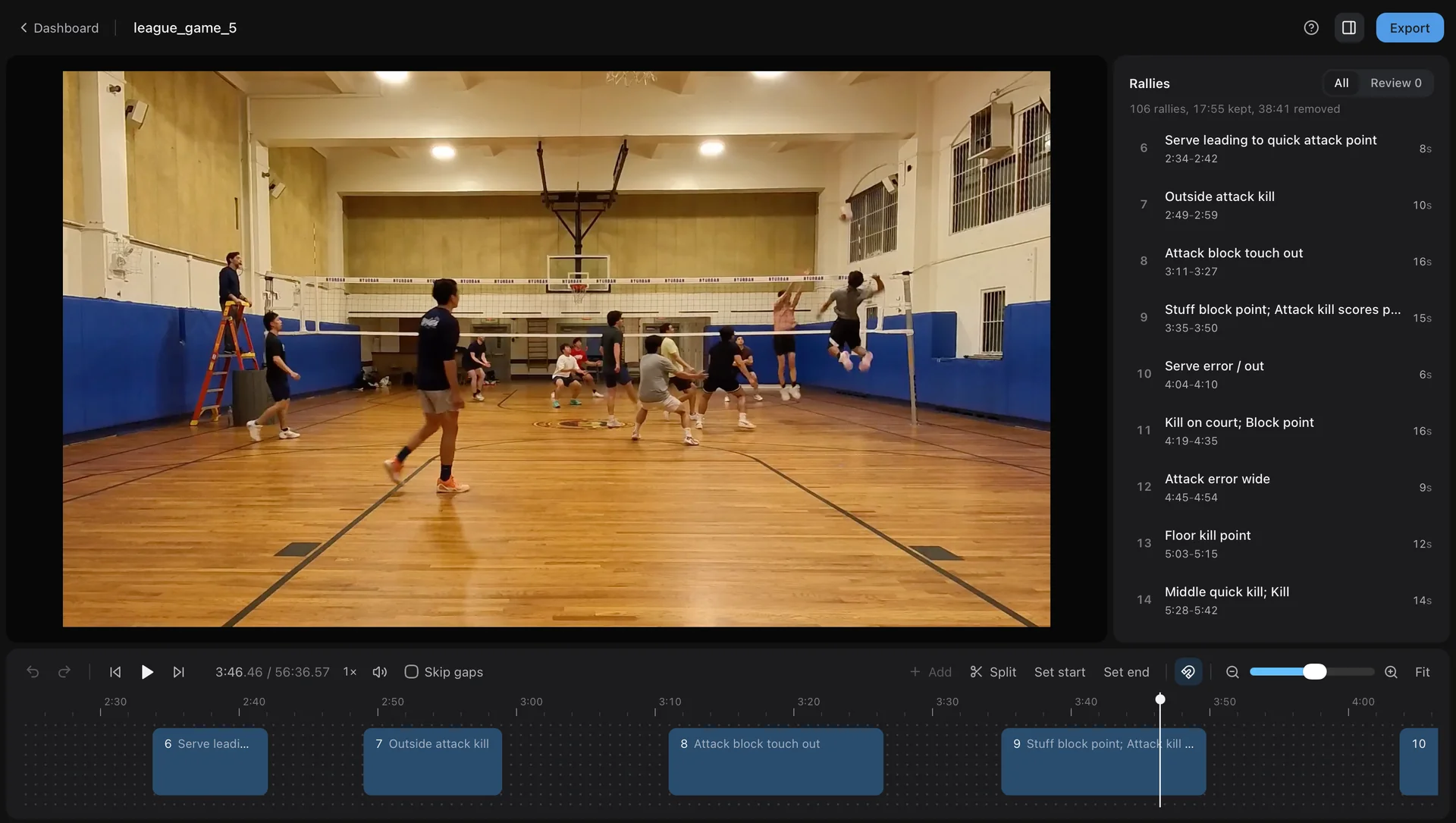
Review every point in context
Jump between detected rallies while Skip gaps keeps playback out of timeouts, resets, and ball retrieval.
Choose the Plan That Fits Your Match Volume
Player and Club include the same editor and export options. Choose based on how much match footage you process each month.
Player Tier
MonthlyFocused match film for dedicated players
- 10 hours of uploaded match footage each month
- Editable first cut of the rallies
- Trim, split, rename, or remove rallies
- Full video, separate clips, EDL, CSV, and JSON exports
Club Tier
MonthlyMore match capacity for clubs, coaches, and tournaments
- 50 hours of uploaded match footage each month
- Editable first cut of the rallies
- Trim, split, rename, or remove rallies
- Full video, separate clips, EDL, CSV, and JSON exports
Top-Up Pack
One-timeExtra capacity whenever you have back-to-back weekend tournaments
- +2 match hours added to your balance
- Stays on your account until used
- Monthly hours are used first
- Stackable whenever you need more
Monthly hours are measured from uploaded source footage, renew on your billing date, and do not roll over. Add-on hours stay on your account until used. Cancel anytime.