From upload to export
How a Volleyball Match Becomes an Editable Rally Cut
Upload the recording once. All Rally creates a first cut of the rallies, then gives you control of every boundary before you export.
Upload and processing show representative product states. Review uses a current editor capture, and export shows the files created for each match. Animation shows the order, not actual processing speed.
- 01
Upload the full match
Choose the recording from your dashboard. The upload begins immediately and stays attached to the match job.
Up to 40 GBUpload a match
Add full-match footage to create a rally cut
MP4league_game_5.mp4
Uploading
Uploading12% - 02
Follow the processing
The dashboard shows where the match is in the pipeline, the current percentage, and when it is ready to review.
Processingleague_game_5.mp4
Started 3 minutes ago
PreparingPreviewScanningFinding ralliesCreating cutReady8%Preparing the match
Timing depends on the length and size of the video.
- 03
Review every rally
Jump through the detected points, rename a rally, refine its boundaries, split it, or remove it before exporting.
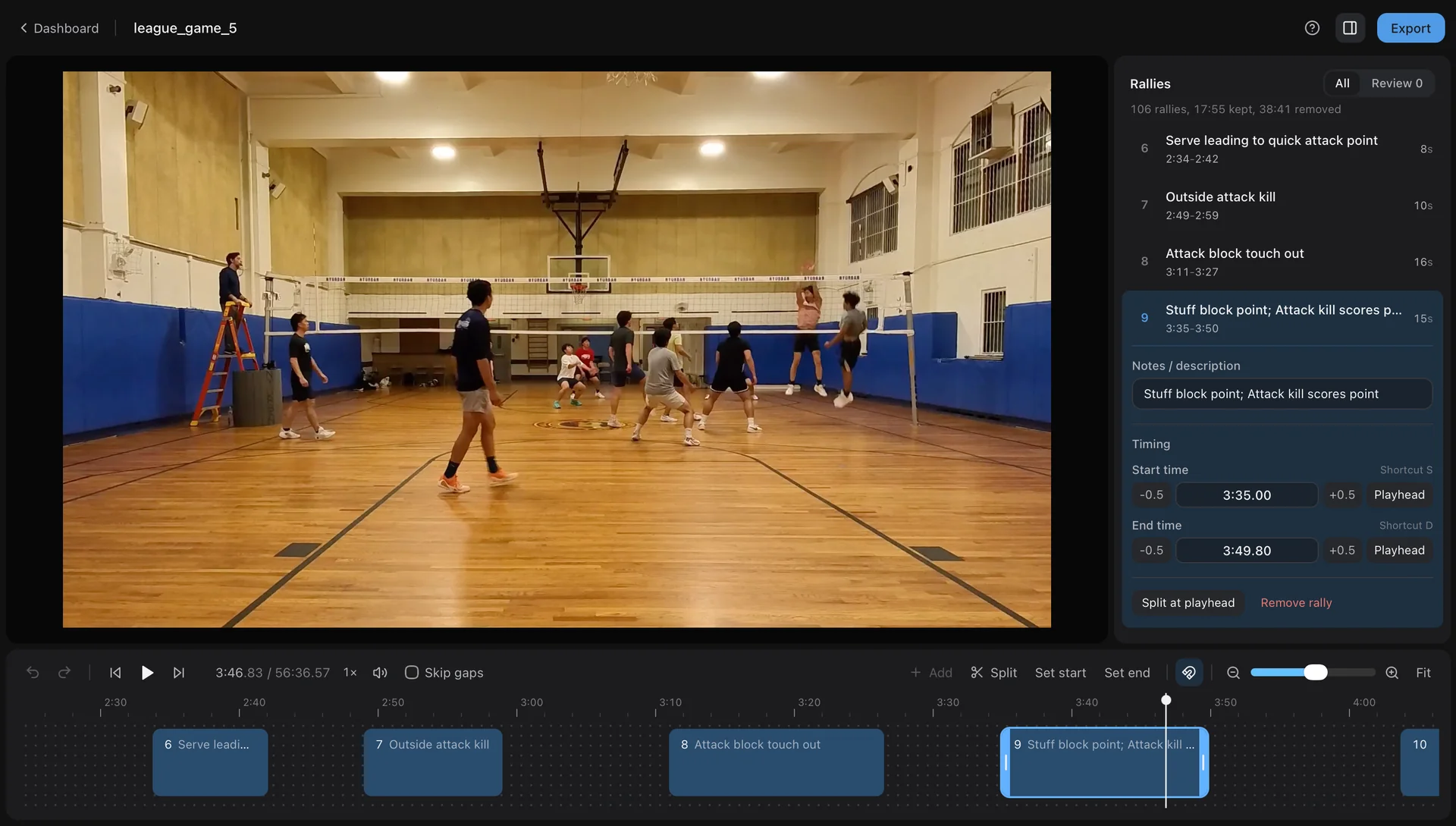
The cut stays editable until you exportActual editor capture - 04
Take every output
Download the focused reel, keep every rally as a separate clip, or move the timeline into another editing or analysis workflow.
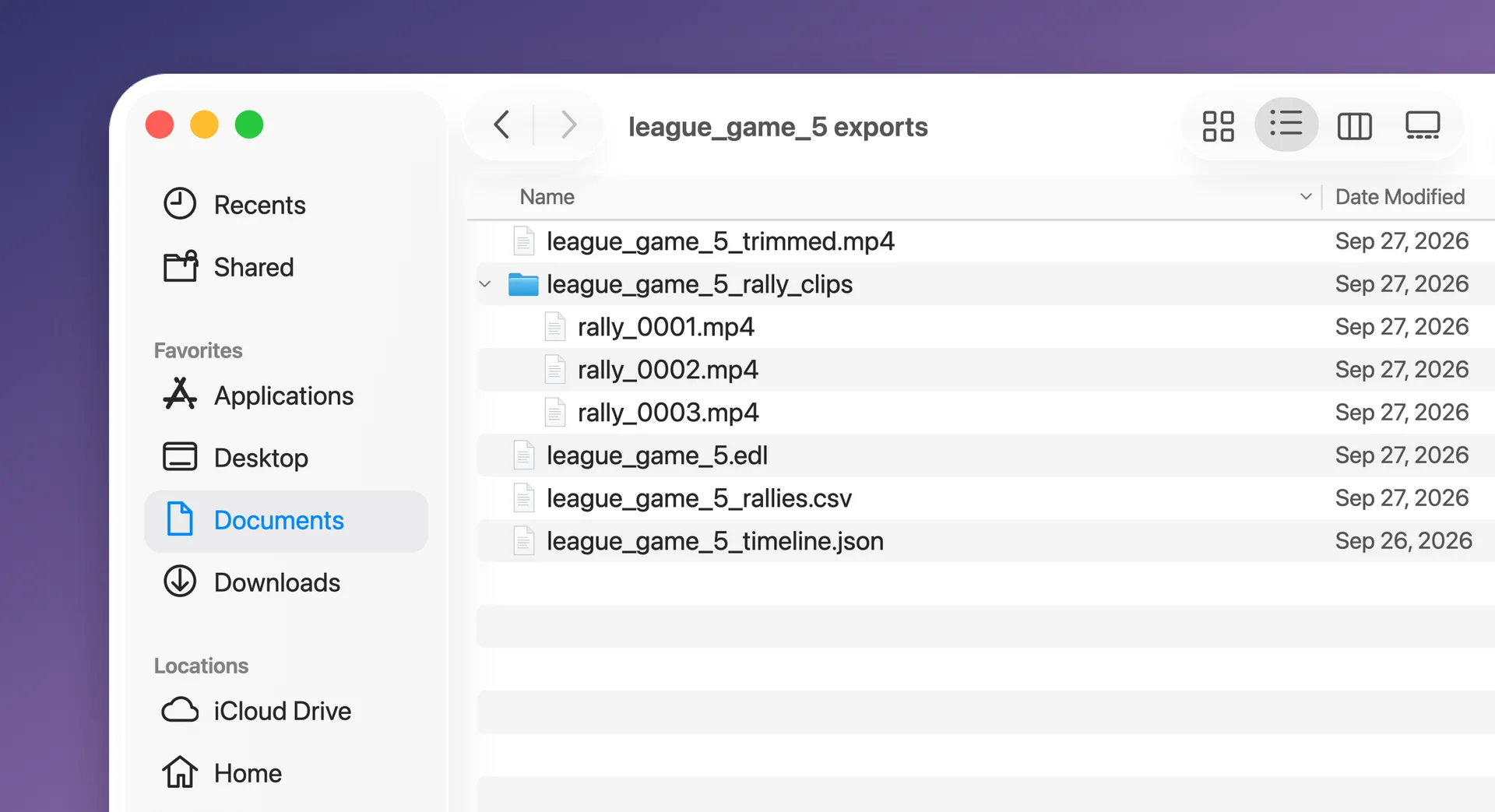
Focused reel
league_game_5_trimmed.mp4
Separate clips
league_game_5_rally_clips
Project files
EDL, CSV, and timeline JSON
Ready to try it with your match?
Start from the dashboard and keep control of every cut before you export.